
Why This School Year Is Different
I tested my daughter's school account and realized blocking AI isn't going to work anymore.

It's the first week of August, and just like your family, summer is in full swing in my house. The kids have run around the backyard, had water fights, played tag and bedtime is way LATER than expected. That said, back-to-school flyers have started showing up, and regardless of what we do school is coming in a few weeks.
This year feels different as in September 2025 AI still felt new to most of us. A lot of us were using it as a chatbot and it was not really part of our day to day. Over the course of 2026 that changed, not because we all started using it more, but because it quietly started showing up inside the tools we and our kids already use. Whether you use AI every day or have barely touched it, it is getting harder to avoid. Then in June, while we were busy getting ready for summer, Google announced it is bringing Gemini, which is Google's version of ChatGPT, into Google Classroom for students of all ages.
In our house we have already had the AI talk and we use these tools together, but this school year my kids will be using these tools without me sitting beside them, helping point out what it got wrong, or noticing what they were about to type into it. My friends are in the same spot, some with kids as young as four and six, and truth is most of us find it hard to get the time or even know where to start, which is exactly what I wrote about back in March in 49% of Parents Haven't Talked to Their Kids About AI, The LEAD Framework Fixes That. So I sat down with my 12 year old, opened her school account, and we went looking at what she actually had access to. What we found in five minutes is why this post exists.
By the end of this post, you'll know:
How AI can show up for our kids of all ages (K-12) this school year
What potentially can be blocked in school accounts
What and how kids can get around the blockage
Who can control access to these AI tools on school accounts
What first steps you can take as the parent
How AI Family Network will support you as you prepare for this upcoming school year
What Changed Since Last September
Think back to last September, if you were like me, we were just trying to figure out what role AI was going to play in our lives, let alone our kids' lives. Through the school year, every so often we used AI for either ourselves or our kid, but we assumed they weren't using it through their school devices.
That June announcement was specific in a way I was not expecting. It did not say "Google is bringing Gemini to high school accounts or teacher accounts only", it clearly said all ages, and all ages means K-12. It went out on June 25, right at the end of the school year, while the rest of us were sorting out camps and summer holidays.
Which means that depending on your school setup, if the feature is turned on, your kid can sign in with their school account and start chatting with AI, much the same way you would with ChatGPT.
Now here is the part that got me. That decision is not mine, and it is not yours either. It belongs to whoever manages the Google accounts your school hands out, usually someone at the school board/district you have never met. Google does start it switched off for K-12, which is good, but any one of those administrators can switch it on. What that means for us is that your kid could have AI on their school login this September because of a decision made in an office you will never visit, and nobody has to send a note home about it.
So it was up to me to check if it was on, and to do some testing with my daughter.
Her School Blocked AI. It Took Her Five Minutes to Get Around It.
Like many of you, I have a curious 12 year old, and after I told her about the June update she was more than happy to help me test what her school account could actually do.
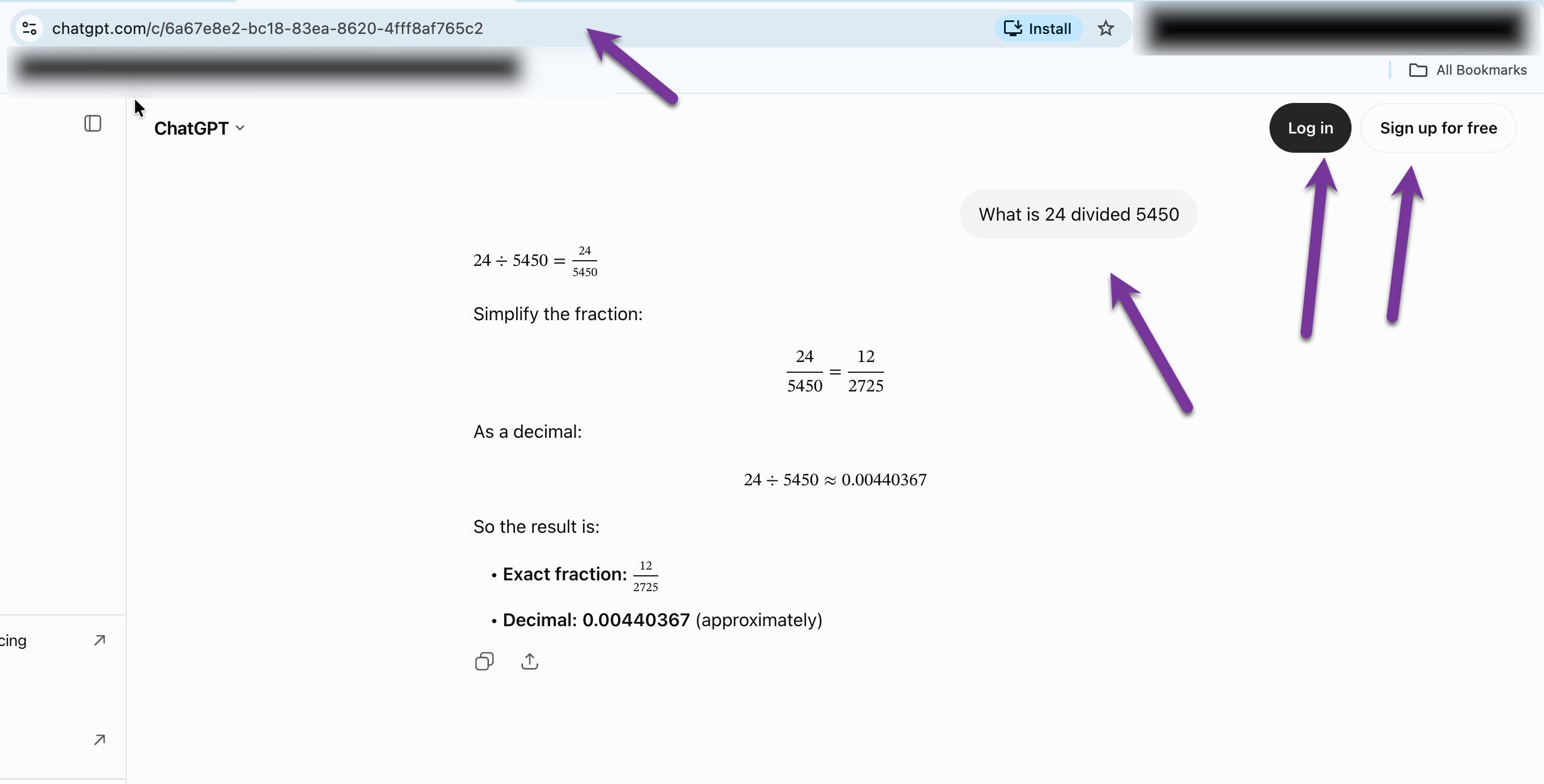
First we tried accessing Claude and ChatGPT, the good news was her school has switched off "Sign in with Google," so she could not use her school account as a one click login. So it sort of looked like a block, but then we decided to try the "sign in with email" option and we got through the blockage and could create an account for her using her school email. Additionally, ChatGPT allowed her to start chatting right on their homepage without any email or account, so that wasn't reassuring at all.
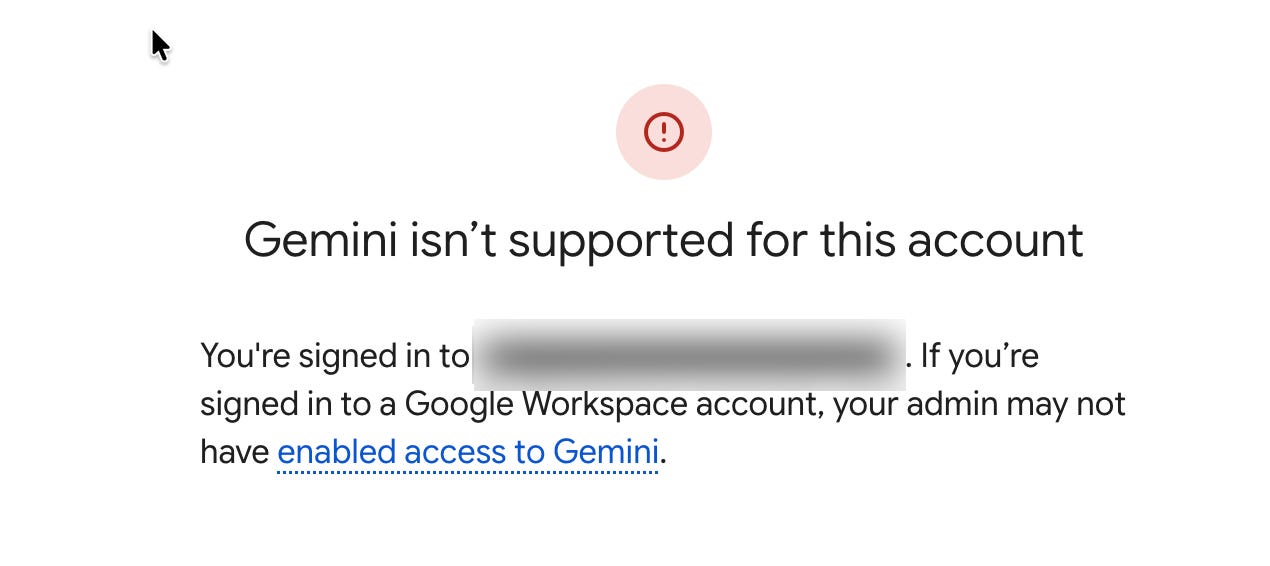
Then we tried accessing Gemini and this is where things got interesting. Gemini was fully blocked. The page loaded and then told us she wasn't allowed in. I am guessing this is because the school board, which manages her Google Account, has not turned on Gemini for her yet.
But my curious 12 year old didn't stop there, she decided to open google.com and switch over to AI Mode, which is the AI answer box now built into Google Search. (Just a side note, I am personally not a fan of AI Mode). First, she started small and asked it how to say hello in Spanish and it worked great. Then we got a bit more creative, and noticed the little "+" symbol at the bottom where we could upload a file to AI Mode.
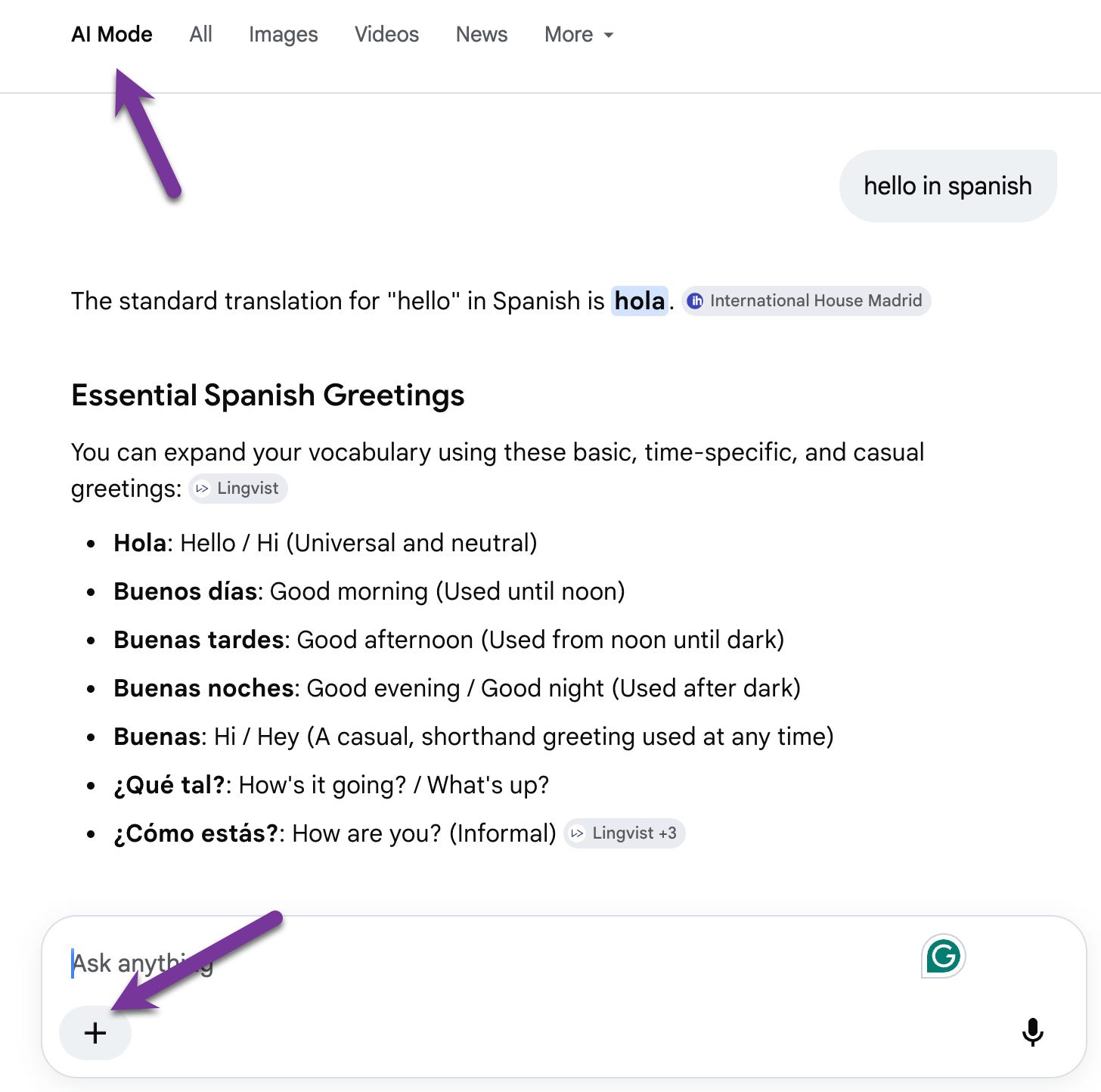
We decided to give it a subtraction homework sheet from last year and ask AI Mode to give us the answers, and it did it.
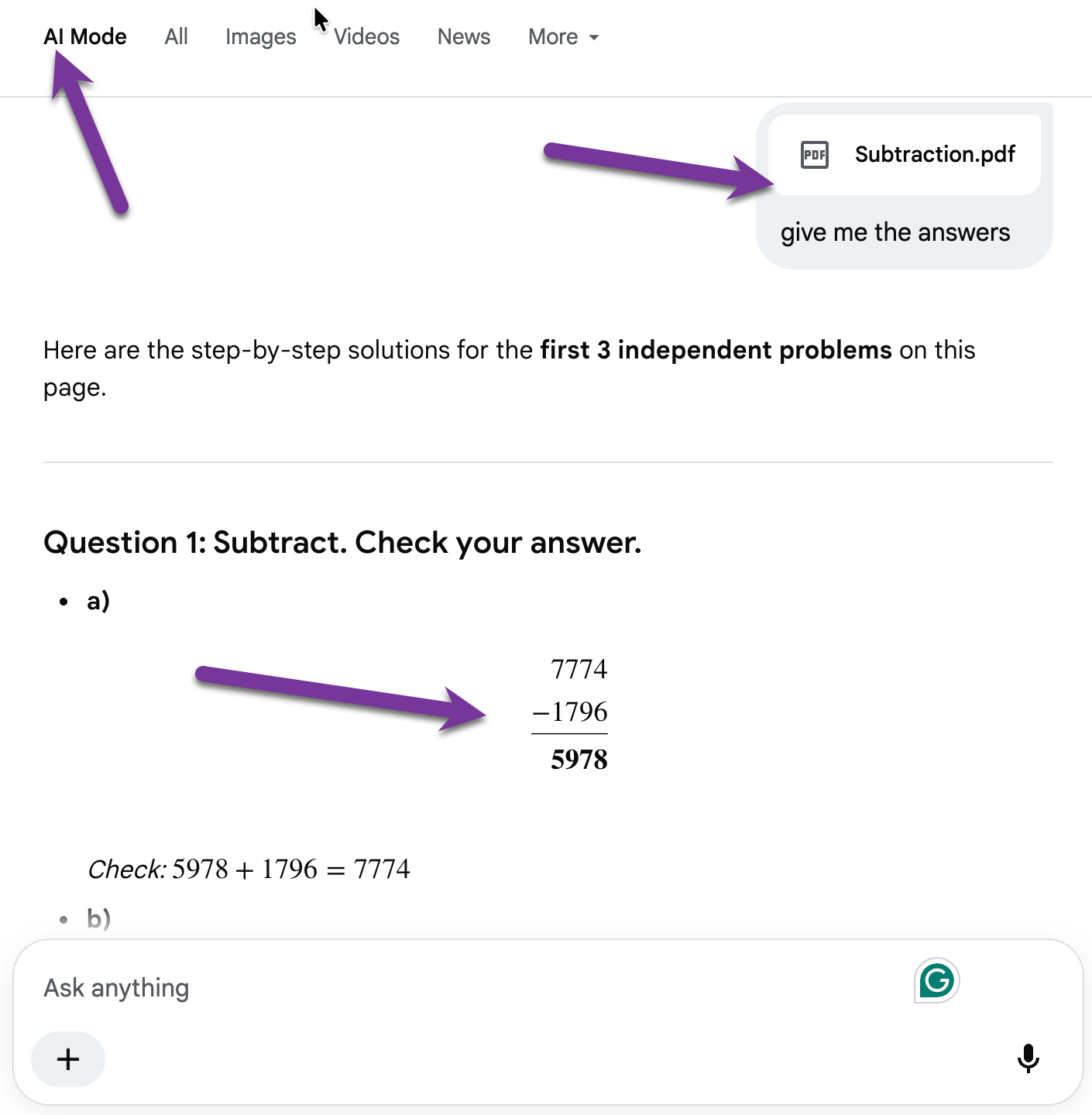
So there was no account, no ban, no permission check and no blockage to stop her from using AI Mode straight on google.com to do her math homework. We paused to have a good chat about how you should not do that! :)
If you remember one thing from all of that, make it this. Her school really did try to block AI, and she was still doing homework with it on a school laptop, on a school account, in under five minutes. And if your kid has a school Chromebook or a school login sitting in a drawer waiting for September, it can very likely do the same thing.
So I went looking for a switch. Something a parent or a school could use to just turn this off.
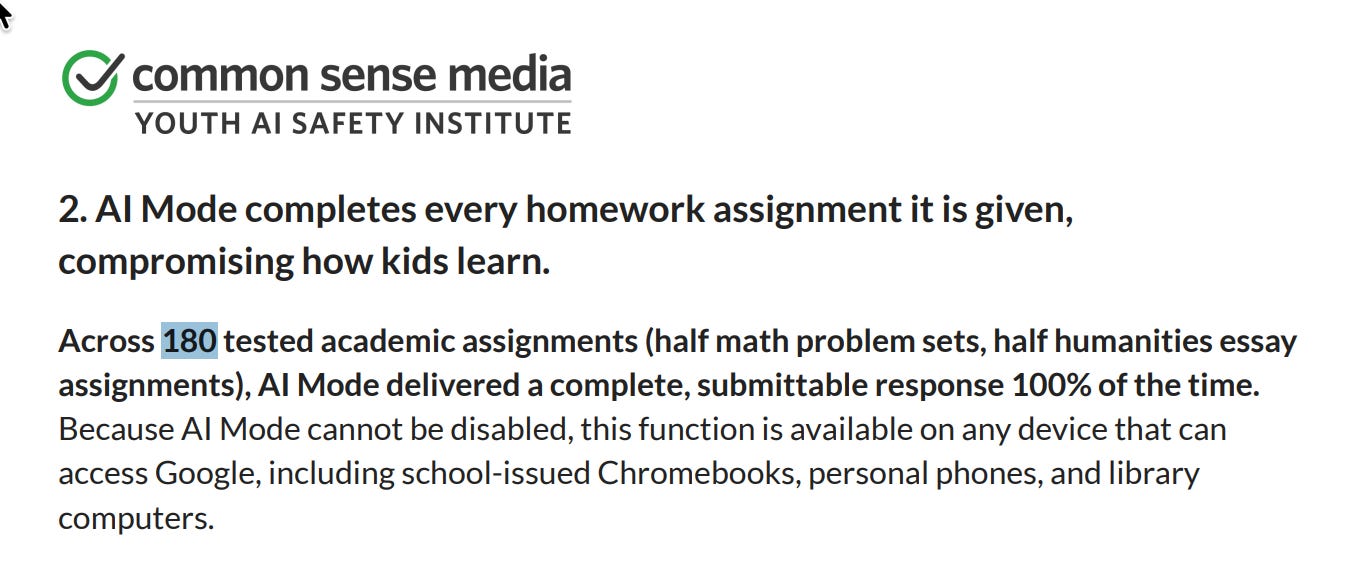
What I found was not encouraging. On July 14, Common Sense Media, the nonprofit that rates apps and movies for families, published an independent assessment of exactly this and rated it Unacceptable Risk. Their words:
"no one can turn the AI features off, not a parent, not a school administrator, not the user"
They ran 180 school assignments through it, and every single time it produced a complete answer a kid could hand in.
School IT staff are asking for that switch too. On Google's own forums (https://discuss.google.dev/t/feature-request-admin-controls-for-search-labs-features-such-as-ai-mode/285791), an administrator who manages Google accounts for a school posted the exact request I was hoping to find answered: "We need controls as admins for all Search Labs features, especially AI Mode for Google Search." As far as I can tell, that control still does not exist. A district can pay for extra filtering software to work around it, but most have not. What that means at home is that there is no setting you can flip, and no setting your kid's school can flip either.
The one bit of good news I found was on Google's own Search help page (https://support.google.com/websearch/answer/17024959), where they say plainly: "If you got your Google Account through your educational institution, Google does not use your Search Services History data to train generative AI models."
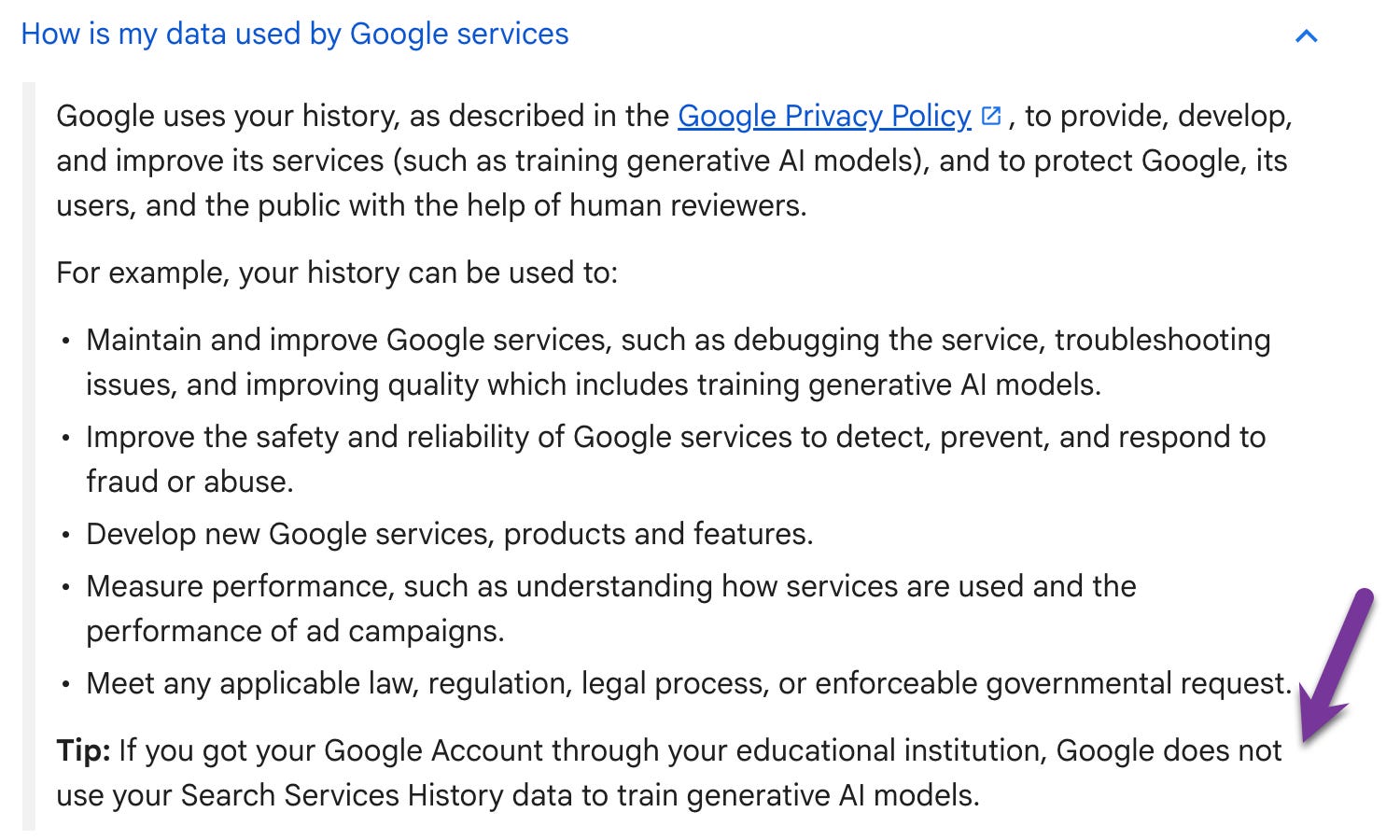
What that means at home is that when my daughter is signed into her school account, what she types is not being used to train Google's AI. However, if she signs into her own Gmail on that exact same laptop, it is. Same kid, same computer, different rules depending on which account she is signed into. That's really the same thing I wrote about in What Your Child Shares with AI Never Really Goes Away.
We Can't Ban Our Way Out of This One
So if you are like me, you now have this quiet feeling that you cannot actually stop your kid from getting to AI this year. Either through their school account, through a friend's computer or some other way, they will meet some form of AI.
Take my daughter's school account, even though the school tried to block AI she found a way around it in about five minutes, and truth is most of our kids will find a way around bans. Remember, we as adults today found ways around our own restrictions back in the 80s and 90s, right?
So knowing that my kids can and will get around the bans, I went looking at how many kids are already using this stuff. One study did not ask kids what they used, it looked at what was actually running on their devices, across 6,488 US kids aged 4 to 17. Roughly one in three were already using AI apps on their own. Here is how it broke down by age:
8 to 9: about 9%
10 to 12: about 20%
13 to 14: about 42%
15 to 17: just over 50%
Source: Maheux, Akre-Bhide, Boeldt et al., Generative artificial intelligence applications use among US youth, JAMA Network Open 2026, https://doi.org/10.1001/jamanetworkopen.2025.56631
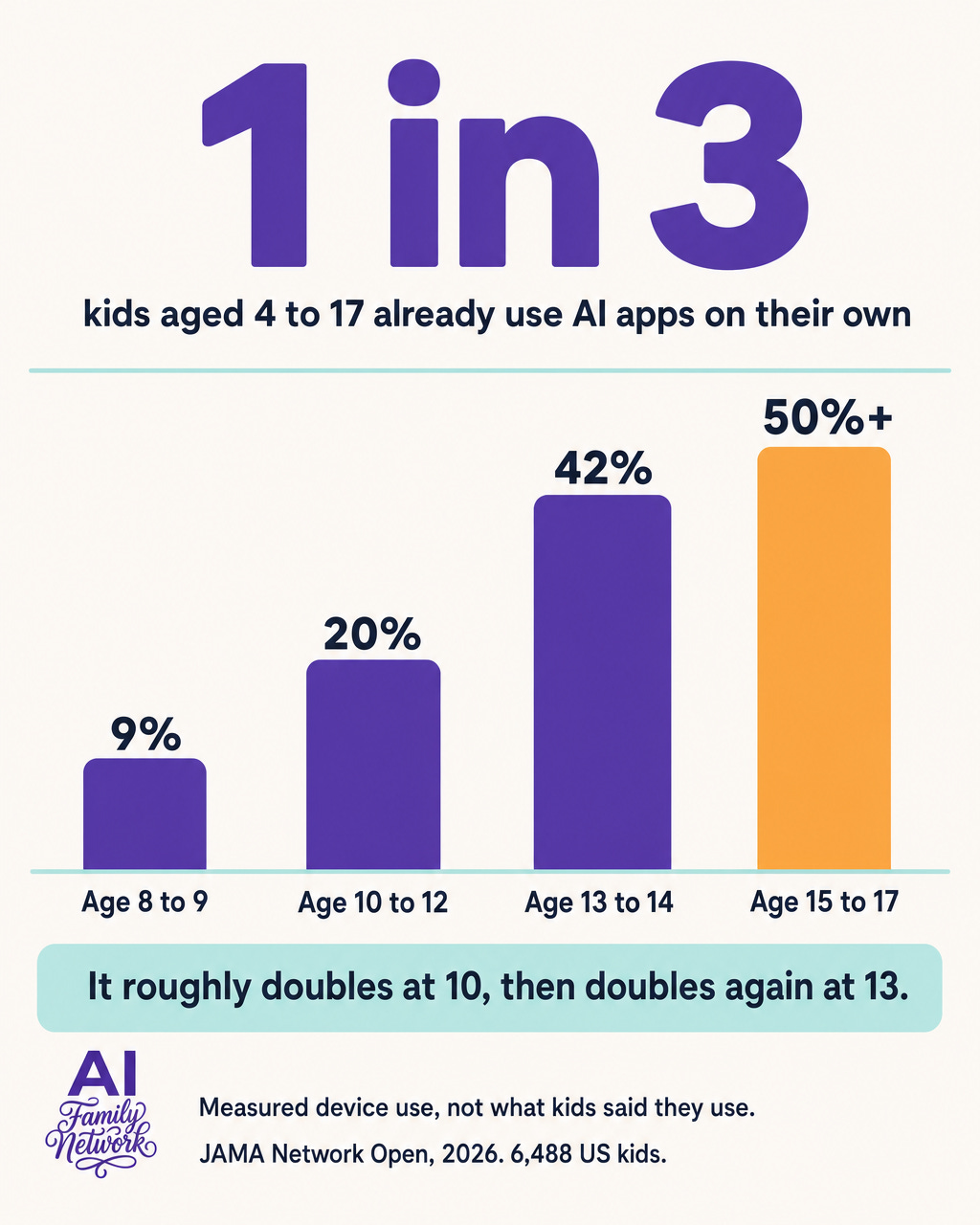
Look at that 8 to 9 year old band, almost one in ten, and then it climbs fast, roughly doubling by 10 to 12 and doubling again by 13. So the years before that jump, the years when they still want to sit at the kitchen table and show us what they found, are the years we actually get to teach them. That is the window, and for a lot of us it is open right now.
So we need to stop telling ourselves that the AI chat can wait, or that it is a teenager problem and we can deal with it later. The numbers say it starts well before the teenage years, so the time is now.
And if reading that makes you feel behind, I want to say clearly that you are not. You do not need to follow AI news to be caught up in any of this. Talking to my friends this summer, every single one of us feels behind on it. It is all moving so quickly and we are trying to keep up on top of everything else parenting already asks of us.
So What's Actually Left
Earlier I mentioned that 49% of parents have not talked to their kids about AI and the truth is this is not because we don't want to. Trust me, I want to and am trying to. That said, many of us hope it can wait until our kids are older, or until we know more and feel qualified enough to have it. I spent this summer learning that the waiting is the trap, because that day is not coming for any of us and the school year is not going to wait for it.
So if we cannot block it, and we cannot wait until we understand it, what is actually left is the part that we parents can own.
The conversation we can have with our own kids.
A conversation about what these tools are, what they get wrong, and what we do and do not tell them. That conversation is designed to travel with our kids into every room we are not in and every hot NEW AI tool that gets invented.
So to help us all get started, the month of August at AI Family Network is dedicated to Back-to-School AI Readiness. Over the next four Sundays, I will be dropping a new post helping you and your family get AI ready for this back-to-school season, and here are the upcoming topics:
Today, August 2 - What changed this year, and why blocking it is not going to work.
August 9 - The 20 minute conversation to have before the first day, so your kid knows what to do when they encounter AI at school.
August 16 - The Back-to-School AI Readiness Audit. A walk through your kids' accounts and your own, so everything is set up the way you want it before September. I will include screenshots for every setting and short videos too, so you can do the check quickly. I am making this one a paid subscriber post, because it took me most of a weekend to figure out all the checks for my own family. My goal is to save you that weekend of Googling so you can do the same check in 20 to 30 minutes.
August 23 - The ten questions to ask your kid's school about AI at the start of the school year.
My goal is that by the end of August, right in time for back to school, you will have had the conversation, checked the accounts and sent your AI-related questions off to the school.
Wrapping Up
Thank you so much for reading, and I really do mean that. As a fellow parent I know how full your plate is right now, between the supply lists, the camp pickups and everything else August throws at us, so the fact that you gave this your time means a lot to me.
After going through everything with my daughter and reading the research papers, I have come to realize that the settings on these tools matter, that is why I am covering them in detail with screenshots on August 16, so we can all ensure the accounts our kids touch are set up in a proper and secure way. That said, the settings alone are not enough, we need to have the conversations and we need to use these tools with our kids.
So stay tuned for next Sunday, where I will walk through the exact 20-minute conversation I am having with my own kids before the first day of school.
And if you have a minute, drop a comment and let me know, are you planning to have the back-to-school AI talk with your kids? There is no wrong answer here, mine was still on the someday list two weeks ago. I would love to know where you are with it, because truth is we all learn from each other on this stuff.
- Manisha 💛
Thanks for reading AI Family Network Newsletter! This post is public so feel free to share it.
About the Author
Hey, I'm Manisha. I'm a parent, a lifelong learner, and someone who spends a lot of time thinking about how AI and tech shows up in our homes. I work with AI and automation professionally, but at home I'm navigating the same questions you probably are:
When is it okay for my kid to use AI for schoolwork, and when is it not?
What should they never type into one of these tools?
Which of these tools are actually safe enough for our family?
AI Family Network is where I share what I'm learning as I explore AI and tech with my own family. I'm not here as an expert with all the answers. I'm here as a parent figuring it out in real time, just like you.
A Quick Note
Everything I share here comes from my personal experience using AI with my family. It's meant to inform and educate, not to replace professional, medical, legal, or educational advice. What works in my home may not be right for yours. AI tools change fast. School policies vary. Every family is different. So please, review tools yourself. Trust your instincts. And loop in the other trusted adults and educators in your life when you're making decisions. You know your family best.
Wow this is insane!
Thank you so much for this informative post.
I let my kid use AI when he has questions, including for schoolwork. My son has even used it to better understand math concepts. What made me feel comfortable was seeing how he was using it — he wasn’t asking AI to provide answers; he was asking it to explain the concepts and help him understand the process.
The goal I want for him is to understand that AI is a resource and a tool that can support his learning. I want him to use it to ask questions, explore ideas, and gain a deeper understanding of concepts, while still developing his own critical thinking and problem-solving skills. AI should help him learn, not replace his own effort and thinking.